




Table of Contents
- Step 1: Map Every Vendor Role Before You Send a Single Email
- Step 2: How to Create an Event Vendor Brief That Gets Results
- Step 3: Set Communication Protocols and Channels Early
- Step 4: Use Event Vendor Communication Templates to Save Hours
- Step 5: Choose the Right Event Vendor Management Software
- Step 6: Manage Timelines, Deadlines, and Onsite Coordination
- Step 7: Handle Vendor Conflicts and Build Long-Term Relationships
- Frequently Asked Questions
Last Updated: September 14, 2026
Step 1: Map Every Vendor Role Before You Send a Single Email
Vendor communication is the system of briefings, protocols, and checkpoints that keeps every supplier aligned with your event timeline, and it starts before the first email goes out. The most common failure in event logistics is not a bad caterer or a late florist (Event Risk Management Process for Proactive Planning). It is unclear ownership.
Before you write a single message, list every vendor by function, then define what each one delivers, when they deliver it, and who on your team owns that relationship.
Build a Responsibility Matrix for Your Event
A responsibility matrix is a simple grid that assigns one accountable person to every vendor and every deliverable. It removes the guesswork that causes most onsite coordination failures.
| Vendor | Deliverable | Deadline | Point of Contact | Backup Contact |
|---|---|---|---|---|
| Caterer | Final headcount, menu | 10 days out | Event lead | Assistant planner |
| Florist | Centerpieces, install | Day of, 9 a.m. | Design lead | Venue coordinator |
| DJ | Sound check, playlist | Day of, 2 p.m. | Event lead | AV tech |
| Photographer | Shot list, arrival | Day of, 3 p.m. | Marketing lead | Event lead |
Assign exactly one accountable person per vendor. When two people share ownership, both assume the other is handling the follow-up, and deadlines slip silently.
Step 2: How to Create an Event Vendor Brief That Gets Results
An event vendor brief is a single document that tells each supplier exactly what you expect, so nobody guesses. A strong brief cuts revision cycles and prevents the “that’s not what we discussed” conversation on event day (pmi.org).
Every brief should include the event overview, the vendor’s specific deliverables, the event timeline, load-in and load-out windows, onsite contact details, and payment terms tied to contractual obligations. Send it as a PDF, not a long email thread that gets buried.
What most guides miss is the walkthrough. A brief describes the space; a walkthrough shows it. For any vendor installing on site, schedule a short venue visit so they see the room, the power access, and the load-in path before the day arrives.
Step 3: Set Communication Protocols and Channels Early
Communication protocols are the agreed rules for who contacts whom, on which channel, and how fast a reply is expected. Setting them early prevents the chaos of vendors texting your assistant while you are mid-ceremony.
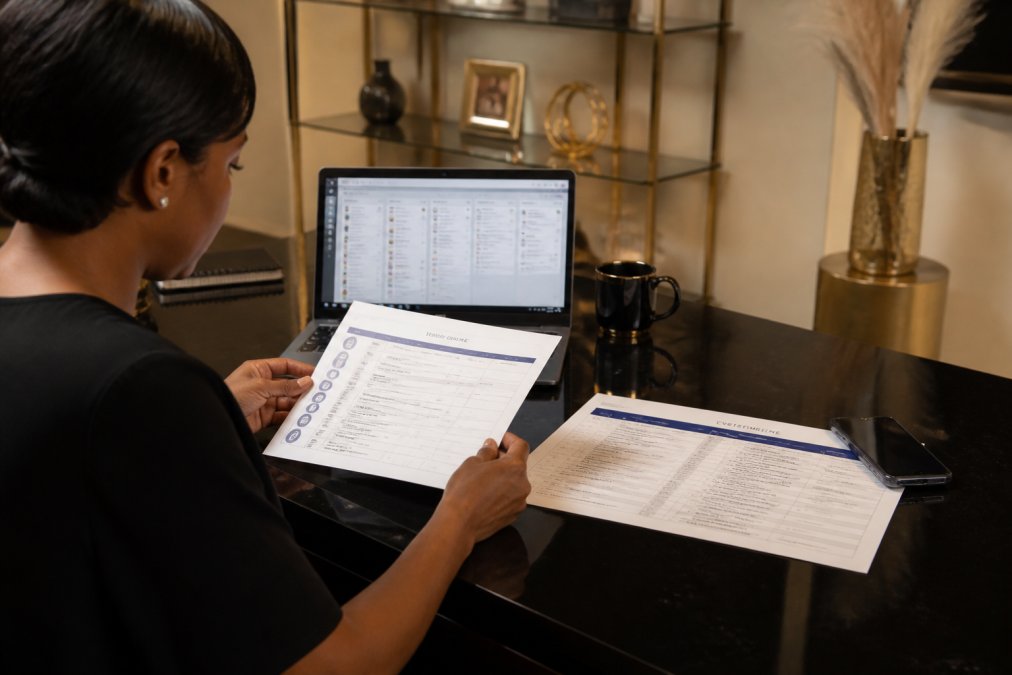
Decide on one primary channel for the whole event. A shared project board works well for documents and timelines; a group chat handles quick day-of questions. Keep a printed contact sheet as backup, because phones die and Wi-Fi drops.
Do not let vendors negotiate scope changes over text on event day. Every change should route through your single point of contact and be confirmed in writing, or you will face surprise charges and missed deliverables.
Step 4: Use Event Vendor Communication Templates to Save Hours
Event vendor communication templates are pre-written messages you adapt for confirmations, reminders, and change requests. They cut the time you spend drafting emails and keep your tone consistent across every supplier.
Reusable templates also create a paper trail. When a vendor claims they never received the updated timeline, your sent template is the record.
What Every Template Should Include
- Subject line with event name and date: “Rivera Wedding, Oct 12: Final Headcount Confirmation”
- Clear ask with a deadline: “Please confirm by Thursday at 5 p.m.”
- Named contact and channel: “Reply to Dana at the event line, not the general inbox.”
- Attachment reference: “Updated timeline attached, version 3.”
- Confirmation request: “Reply ‘confirmed’ so I can log it.”
A confirmation template, a reminder template, and a change-request template cover most situations. Build them once, then reuse them for every event.
Step 5: Choose the Right Event Vendor Management Software
Event vendor management software centralizes vendor communication, contracts, and timelines in one platform instead of scattering them across inboxes. The right tool depends on your event volume, not on the longest feature list.
For a single event, a shared project board and a spreadsheet may be enough. For a venue or planner running multiple events a month, dedicated software pays for itself by keeping every work order, service level agreement, and briefing document in one searchable place.
Match the Tool Category to Your Event Volume
Most planners overspend on the wrong category. Sort your options into three buckets before you demo anything:
- General project management platforms (shared boards, task assignment, file storage). Best for one to three events per year. Vendors get a link, not an account, and you manage the matrix yourself.
- Event-specific platforms (built-in vendor portals, run-of-show builders, day-of check-in). Best for venues and planners running multiple events per month. These usually charge per event or per seat, so model the cost against your annual event count before committing.
- Contract and e-signature tools (work orders, service agreements, change orders). Worth adding on top of either category once you are routing more than a handful of vendors per event, because version control on signed documents is where disputes actually get settled.
The Four Evaluation Criteria That Matter
Look for four things, in this order:
- A shared vendor portal with guest access. Vendors should reach their brief, timeline, and upload link through a single emailed URL, no password creation, no app download.
- Deadline tracking with automated reminders. The tool should nudge the vendor, not you. If you are still sending manual reminder emails, the software is not doing its job.
- A document store with version history. When a vendor claims they worked from an old timeline, you need to show which version they were sent and when.
- An audit trail on messages and approvals. Every scope change, headcount update, and confirmation should be timestamped and tied to a named sender.
Skip anything that requires vendors to learn a complicated login. If your florist cannot figure out the tool in two minutes, they will go back to texting.
The Data-Privacy Risk Most Guides Ignore
Sharing attendee data with vendors is one of the biggest unmanaged risks in event coordination, and almost no vendor-communication guide addresses it (the FTC). Caterers, AV teams, photographers, and check-in staff routinely receive guest names, dietary needs, accessibility requirements, and sometimes payment details, and that information flows through email threads and shared drives with no controls.
A few practical guardrails:
- Share the minimum. Give the caterer a headcount and dietary tally, not the full guest list with contact details. Give the photographer a shot list, not the attendee roster.
- Use a named-recipient link, not a public one. If your tool generates shareable file links, confirm they are restricted to specific email addresses and expire after the event.
- Put a data-handling clause in the work order. State what the vendor may do with attendee information, how long they may keep it, and that they must delete it on request. This is a contract term, not a courtesy.
- Check your own obligations. Depending on your state and the nature of the data, you may have notification duties if attendee information is exposed. Confirm your obligations with counsel rather than assuming the vendor carries the liability.
Do not send a full attendee spreadsheet to a vendor’s general inbox. Route it through a restricted link, log who received it, and confirm deletion after the event. If a breach happens, the paper trail is what protects you.
::: Securing sensitive data becomes even more critical when coordinating event speakers who require remote access to broadcast infrastructure.
Step 6: Manage Timelines, Deadlines, and Onsite Coordination
Timeline management is where vendor coordination either holds together or falls apart. Build one master event timeline that every vendor can see, with hard deadlines and buffer time between dependent tasks.
Work backward from the event start. Catering setup depends on the room being clear; the room being clear depends on the florist finishing install. Stagger these so one late vendor does not cascade into three.
Onsite coordination runs on a single point of contact. One person fields vendor questions on event day, so your client is not pulled into logistics. Keep contingency planning ready: a backup contact for every vendor, a spare power source, and a printed schedule posted at load-in.
Step 7: Handle Vendor Conflicts and Build Long-Term Relationships
Conflict resolution starts with documentation. When a vendor misses a deliverable, refer to the brief, the timeline, and the confirmation trail rather than trading blame. Facts settle disputes faster than frustration.
A Tiered Escalation Path for Vendor Conflicts
Most conflicts escalate because nobody defined what happens when a deadline slips. Build a three-tier path into every vendor agreement:
- Tier 1, Direct contact. The assigned point of contact messages the vendor’s named contact, cites the specific deliverable and deadline, and asks for a revised ETA in writing. Most issues resolve here.
- Tier 2, Owner-to-owner. If Tier 1 does not produce a written commitment within the agreed response window, the accountable person on your side contacts the vendor’s owner or manager. Reference the contract clause and the confirmation trail.
- Tier 3, Contract remedy. If the deliverable is still at risk, invoke the remedy in the agreement, partial refund, backup vendor substitution, or a documented credit, and confirm the change in a written change order.
Keep the tone factual at every tier. The goal is a written commitment, not an apology.
Crisis Communication Protocol: The Day-Of Script Most Guides Skip
Routine management is easy to write about. Day-of emergencies are where vendor communication actually gets tested, and almost no guide gives you a script. Build one before the event and rehearse it with your onsite team.
The four-step script:
- Acknowledge and contain. “We have a situation with [vendor/deliverable]. I am your single point of contact and I will update you every 15 minutes until it is resolved.” Do not speculate about cause or blame.
- Assess impact on the run of show. Identify which downstream tasks depend on the affected deliverable and which can proceed. Write the list down.
- Activate the contingency. Call the backup contact for that vendor, or reassign the task to an in-house team member. Announce the change to affected vendors only, not the full vendor list.
- Close the loop. Once resolved, send a short written summary to everyone affected: what happened, what changed, and what the new timeline is. This prevents rumor from filling the gap.
Pre-write the messages. Draft three templates before event day: a vendor no-show notice, a delay notice, and an all-clear. Fill in names and times on the day. Under pressure, nobody writes well from scratch.
Print the crisis script and tape it inside your onsite binder. When Wi-Fi drops and phones are dying, paper is the only channel that always works.
Run a Post-Event Vendor Debrief
A vendor feedback loop is the single highest-return habit most planners skip. Within one week of the event, send each vendor three short questions:
- What would have made the day run smoother on your side?
- Did you receive every document you needed, in time to use it?
- Would you work this event again, and what would you change?
Log the answers in a shared vendor record alongside the vendor’s performance notes, on-time rate, and any change orders. Over a season, that record tells you which vendors to book first and which to stop calling, and it gives you concrete language for the next negotiation.
Cultural and Language Nuances in Vendor Briefings
For events with vendors from different regions or language backgrounds, confirm key details in writing and allow extra time for briefing documents. Cultural and language barriers cause more missed cues than bad intentions. Two practical habits help: send the brief in the vendor’s preferred language when possible, and follow every verbal conversation with a written recap that lists decisions and deadlines. The recap is not distrust, it is the shared record both sides rely on when memory diverges.
The vendors who feel respected, paid on time, and debriefed honestly become your best resource for referrals and last-minute saves. Treat vendor relationships as long-term assets, not one-off transactions.
Frequently Asked Questions
What information should be included in an event vendor brief?
A thorough vendor brief covers six essentials: event date, time, and venue address; your specific deliverables and setup requirements; the full event timeline with load-in and load-out windows; key contacts for both your team and the vendor; payment terms and contractual obligations; and any branding, aesthetic, or dietary requirements. Include a floor plan when possible. The brief should be a single document the vendor can reference without follow-up questions, which reduces back-and-forth emails and prevents day-of surprises.
How do you handle vendor conflicts during an event?
Designate one point person, usually the planner or venue coordinator, to resolve disputes so vendors are not negotiating with each other directly. Address issues privately and immediately, then document the resolution in writing. For recurring problems, schedule a debrief after the event to discuss what went wrong and how to prevent it next time. Clear communication protocols and a signed service level agreement established before event day give you the authority to enforce standards without damaging the vendor relationship.
What are the 5 C’s of event management?
The five C’s are coordination, communication, collaboration, contingency, and control. Coordination means aligning every vendor’s schedule and deliverables. Communication covers the channels, protocols, and templates you use to keep everyone informed. Collaboration is the shared effort between your team, the venue, and vendors. Contingency is your backup plan for cancellations, delays, or equipment failures. Control is the oversight that keeps the event on budget and on time. Together they form the framework for managing vendor communication from planning through execution.
Do I really need event vendor management software for a single event?
For a small gathering with three or four vendors, a shared spreadsheet and a group chat may be enough. Once you pass five or six vendors, software earns its keep. Tools like event management platforms centralize contracts, timelines, messages, and payment tracking in one place, which cuts the risk of a vendor missing a deadline because an email got buried. If you are working with a full-service venue, ask whether they already provide a centralized platform for vendor coordination, which can save you the cost of a separate subscription.